Score
How To Create Rss Feeds From Twitter PMsbbO
The ability to create RSS feeds from Twitter enhances brand strategy by allowing companies to curate and monitor user-generated content and engagement in real-time. This tool can be leveraged to keep audiences informed and engaged, ultimately driving traffic and interaction with the brand's digital presence.
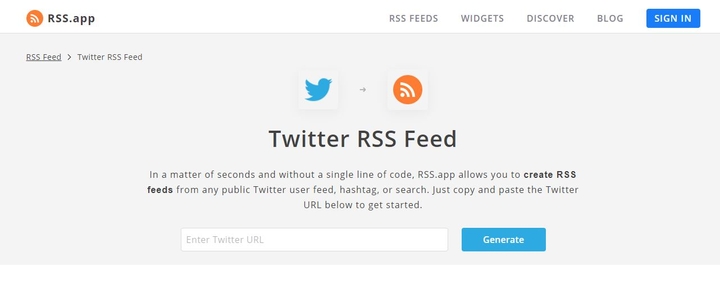
Source: Twitter is a great tool to stay up-to-date with everything that is happening: news, hobbies and interests, celebrities and influencers. However, some users prefer to monitor this information via RSS feeds by using RSS readers, widgets, or custom integrations within their own apps. RSS.app allows users to create RSS feeds from any public Twitter user feed, hashtag, at mention or search keyword, as well as feeds of their own Twitter timelines without writing a single line of code. Here are 3 options on how to create Twitter feeds Option 1: RSS feed from any public Twitter URL Any public Twitter account can be converted into an RSS feed.
Simply copy and paste the Twitter URL into Twitter RSS Generator to get the feed. Customize the feed to your liking by selecting a widget. Option 2: RSS feed from tweets liked by Twitter users This option generates an RSS feed of all the tweets that a user liked. One benefit of using this type of feed is to monitor user engagement and curate trusted sources of tweets. Simply, type in the @username (e.g. @elonmusk) you would like to follow and click on generate to get the feed.
You will see all of the tweets that this user likes. You can also get a public user’s feed. In this feed, I search for a user (bill gates) and get a feed of all of his tweets. Option 3: RSS feed from your own Twitter timeline With this option, users are able to get a feed of their own Twitter timeline, which includes their follower’s tweets, retweets, and replies. Start creating your Twitter feed today! Add the feed to your website and increase your user engagement! Want to try RSS feeds? Create your first feed in minutes.
The article discusses a useful tool for brand strategy professionals that can enhance engagement, but the concept of using RSS feeds is not entirely new, which limits its novelty.
Weekly digest
Get the Signal digest
Every Monday morning — the top 3 brand trends, 10 high-signal articles, and one emerging signal to watch.
No spam. Unsubscribe anytime.