Score
How Developers Can Integrate News Feeds Into Their Projects R5i9kN
For brand strategy, integrating RSS feeds into digital projects can enhance content delivery and engagement by providing real-time updates from various sources. This allows brands to maintain a dynamic online presence, streamline content workflows, and improve communication within teams, ultimately leading to a more informed and responsive brand image.
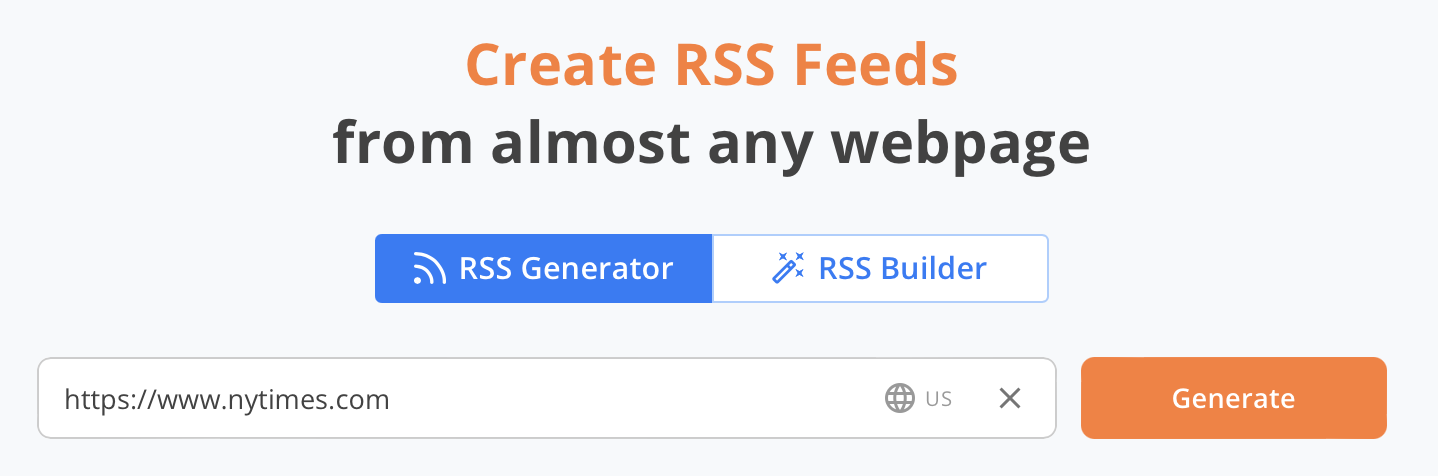
Source: If you're a developer building anything that needs fresh content—apps, dashboards, bots, extensions, or internal tools—RSS.app gives you instant access to clean, auto-updating news feeds from any website. You don’t have to build your own scraper or rely on inconsistent APIs. Here’s exactly how you can use RSS.app news feeds in your projects. 1. Generate a News Feed from Any Website 1. Copy the URL of a news site, blog, or social media page. 2. Paste the URL in our RSS Generator. 3. Click Generate. 4. Click Save to My Feeds. You now have a working RSS feed you can integrate with any tool, API, or script. 2.
Power a News Section or Blog Aggregator Use RSS feeds to populate a live news section in your app or website. With RSS.app, you can: Generate feeds from any news site, blog, or category page Combine multiple feeds into a single stream (with Bundles) Filter by keywords using whitelists or blacklists Embed the output using our RSS API or use the raw RSS URL in your frontend Example: Build a fintech dashboard with live industry headlines from sources like TechCrunch, CNBC, and Bloomberg—all bundled and filtered. 3.
Feed Data into Internal Tools Need to monitor competitors, partners, or industry blogs? Create feeds from their news or product pages Filter out irrelevant posts Connect the feed to internal dashboards using Zapier, Integromat, or your own backend logic You can even set up Slack or email alerts when certain topics appear. Example: Display PR mentions or updates from partner companies inside your team’s Notion or internal admin panel. 4.
Automate Content Workflows Using Zapier or Make (Integromat), you can: Trigger automation when new posts are published Send articles to Google Sheets, Airtable, or a CMS Auto-share posts to social channels or messaging platforms Example: When RSS.app detects a new blog post about “AI tools,” Zapier sends it to your marketing team's Airtable database for content planning. 5.
Build Bots, Extensions, or Custom Apps Use RSS feeds as a backend content stream for: Telegram/Discord bots Chrome extensions Widgets for custom client dashboards The RSS feed structure is clean, fast to parse, and doesn’t require authentication. Example: A browser extension that displays the latest updates from 5 handpicked tech blogs using one RSS bundle. Why Use RSS.app? No need to build or maintain your own web scrapers. Create feeds from pages that don’t support RSS natively. Filter, bundle, and format feeds the way you need them. Fast to integrate.
No learning curve. Get Started Pick any site, generate a feed with our RSS Feed Generator, and plug it into your project. No scraping. No rate limits. Just reliable content, ready to use. Want to try RSS feeds? Create your first feed in minutes.
While integrating RSS feeds can enhance brand engagement, it is a common practice in digital strategy and may not significantly impact the broader brand/design industry.